Consent Management: The Essential Guide to Trust, Privacy, and Compliance

Consent management sits at the center. It upholds digital privacy, trust, and regulatory compliance. Privacy laws tighten. Users know their rights. Organizations need a way to ask, record, and respect choices about data. Good consent management protects privacy. It cuts legal risks. It builds long‑term trust with customers.
This guide explains consent management. It shows why it matters. It links consent management to laws like GDPR and CCPA. It gives steps to design and implement a strong consent strategy in your organization.
What Is Consent Management?
Consent management is a process. It is technology. It is a set of governance practices. An organization uses them to:
- Ask individuals for permission to collect and use their data
- Present clear, linked choices
- Log and store each consent decision
- Honor those choices across systems, channels, and partners
- Allow people to review or change what they chose over time
When someone visits your website, installs your app, or signs up for a service, you act as follows:
- You tell them what data you need and why.
- You give them clear options (accept, refuse, or customize).
- You record their decision in a verifiable way.
- You make sure your systems follow their choice.
This work is more than a cookie banner. It covers cookies, tracking, marketing, data sharing with third parties, profiling, and sometimes sensitive data like health, biometrics, or location.
Why Consent Management Matters Now
1. Regulatory Pressure Is Growing
Laws like the EU’s General Data Protection Regulation (GDPR) and the California Consumer Privacy Act (CCPA) regulate how you request and manage consent. They demand that consent is:
- Freely given. No coercion or forced bundling.
- Specific. Linked to a clear purpose.
- Informed. Based on clear information.
- Unambiguous. Given by a clear action.
- Revocable. Easy to withdraw.
Wrongly managing consent may trigger investigations, fines, and forced changes. In some EU cases, violations reach hundreds of millions of euros.
2. Consumer Expectations Have Changed
Users now value privacy. They use browsers and privacy tools that block third‑party trackers. They are wary when data practices are unclear. They notice breaches and scandals.
Consent management becomes a daily touch. Confusing or manipulative banners break trust. Clear, respectful consent shows that you value privacy and user power.
3. Data Quality and Trust Go Hand in Hand
Data given with consent lasts longer and is more valuable. When people agree to data use, they:
- Engage more with your messages.
- Complain less or unsubscribe rarely.
- Help you match data use with what they expect.
Good consent management does more than prevent legal issues. It improves data quality and maintains steady customer ties.
Key Concepts in Consent Management
To build a strong program, you must understand a few core ideas.
Personal Data and Processing
• Personal data (or information) is any data that can identify a person. Think names, email addresses, IP addresses, device IDs, location, and behavioral histories.
• Processing means any work on personal data. It includes collecting, storing, analyzing, sharing, combining, or deleting.
Consent is needed when processing goes beyond what is required for a service. This is especially true for marketing, profiling, or third‑party sharing.
Legal Bases for Processing
Under GDPR and similar laws, consent is one of several legal bases for processing. Other bases include:
- The performance of a contract.
- Compliance with a legal rule.
- Protecting someone’s vital interests.
- A public task.
- Legitimate interests (in some cases).
You choose the right legal base for each purpose. When you rely on consent, managing it becomes central to compliance.
Types of Consent
Not all consent is the same. The differences are:
- Explicit vs. implicit
- Explicit consent comes by a direct confirmation such as a checkbox, button, or digital signature. It is required for sensitive or high‑risk data.
- Implicit consent is inferred from behavior, like staying on the site after being informed. Modern laws often limit this type.
- Opt‑in vs. opt‑out
- Opt‑in means processing starts only after active user agreement. This is common in GDPR regions.
- Opt‑out means data processing begins until the user objects. This happens in some other regions like parts of CCPA.
A strong strategy adapts to these differences between regions.
The Legal Landscape Around Consent Management
GDPR and ePrivacy (EU/EEA)
Under the GDPR and the ePrivacy Directive, you need consent for:
- Most non‑essential cookies and trackers
- Electronic marketing via email, SMS, and some push notifications
- Profiling and automated decisions
- Processing sensitive data (like health, biometric, or racial data)
Key points in GDPR consent are:
- No pre-ticked boxes.
- Clear, plain language.
- Granular options for different purposes.
- Separate consent for each activity.
- Easy ways to withdraw.
You must also prove that you obtained consent by keeping records.
CCPA/CPRA (California)
The California rules stress:
- The right to opt‑out of “sale” or “sharing” of personal information.
- Clear notices about the data collected and its purposes.
- Extra protection for minors, which require opt‑in in some cases.
California does not always demand a full opt‑in style like GDPR. Yet, you must clearly show a “Do Not Sell or Share My Personal Information” option. You must honor every user choice, including signals like Global Privacy Control (GPC).
Other Jurisdictions
Other regions now have similar privacy laws with consent rules:
- Brazil (LGPD)
- Canada (PIPEDA and the proposed CPPA)
- UK GDPR and PECR
- Several U.S. state laws (Colorado, Virginia, Connecticut, Utah)
- Various rules across APAC and the Middle East
A robust consent program must identify where users live, apply the correct legal logic for that region, and evolve as the laws change.
Core Components of a Consent Management System
A full consent system has these parts:
1. User Interface Layer (Banners, Pop‑ups, and Preference Centers)
This is what users see. It includes:
- Cookie banners and pop‑ups for websites and apps.
- Inline points where consent is asked (like during form submission or newsletter signup).
- A privacy or preference center where users review and change settings.
The interface must be clear, accessible on all devices, and fair. It must show both accept and reject options without tricks.
2. Policy and Purpose Definitions
Behind the scenes, you set up:
- Defined purposes for processing (such as Analytics, Personalized ads, Email marketing, Product improvement).
- Which purposes are optional versus mandatory.
- The legal basis for each purpose.
- What data goes with each system.
These setups build the logic for your consent system.
3. Consent Storage and Audit Trails
You keep proof of consent in a safe way:
- Who gave consent (or a pseudonymous identifier).
- When and how consent was given.
- What notice and options were shown.
- What choices were made.
- Any later changes or withdrawals.
A database or log, versioned privacy notices, and secure storage help meet these needs.
4. Enforcement and Integration Layer
Your system must make sure that:
- Tags, scripts, SDKs, and apps act on the consent settings.
- Data flows to analytics, advertising, CRM, and other tools follow consent.
- Updates to consent are sent promptly across all systems.
Often, you use a tag manager that fires tags only after consent is given, along with APIs that check consent in real time. Without this step, consent management stays only on paper.
Designing a User‑Friendly Consent Experience
You can design consent management so that it is both protective and easy to use. Follow these design ideas:
Clarity Over Legalese
Keep the language simple. For example, say: “We use cookies to see how our site is used and to show offers that interest you.” Avoid vague terms. Show clear links to more details for users who want them.
Real, Granular Choices
Give users sensible controls. For instance, separate choices for:
- Essential versus non‑essential cookies
- Analytics, personalization, and advertising using different toggles
- Separate consents for different channels like email, SMS, or push notifications
Bundled consent (only “accept all” or “exit”) may hurt trust or break rules.
Symmetry Between Accept and Reject
Avoid designs that favor “Accept All” and hide the “Reject” option. Ensure:
- Both options are easy to see and access.
- A link to “Manage preferences” offers finer control.
- There are quick, simple ways to say “no.”
Accessibility and Device Responsiveness
Design with all users in mind. Your consent tools should work well on mobile and desktop. They should be navigable with a keyboard and meet accessibility standards (such as WCAG). This approach is both ethical and sometimes legally required.
Implementing Consent Management Step by Step
Here is a practical, step‑by‑step approach you can use.
Step 1: Map Your Data and Use Cases
Begin with a data inventory. Ask these questions:
- What personal data do you collect, both online and offline?
- Which channels (web, mobile, in‑store, support) do you use?
- What purposes do you have for this data?
- Which third parties get this data (ad tech, analytics, cloud providers, partners)?
This mapping shows where you need to ask for consent and how to set up your notices and signals.
Step 2: Define Your Consent Policies
Work with legal, compliance, and business teams to set up:
- A list of processing purposes and the related legal bases.
- What uses are necessary and what uses are optional.
- Rules for minors and sensitive data.
- Retention rules for consent records.
Document these policies clearly. They drive the design and technical setup.
Step 3: Select a Consent Management Platform (CMP) or Build In‑House
You choose between:
- Commercial CMPs, which give ready‑made banners, templates for regions, integration with tag managers, and policy updates.
- An in‑house solution, which gives you more control but needs more time from legal, design, and engineering teams.
Key criteria include compatibility with your website and app, geolocation support, integration with tag managers and marketing tools, and the ability to report and store audit trails.
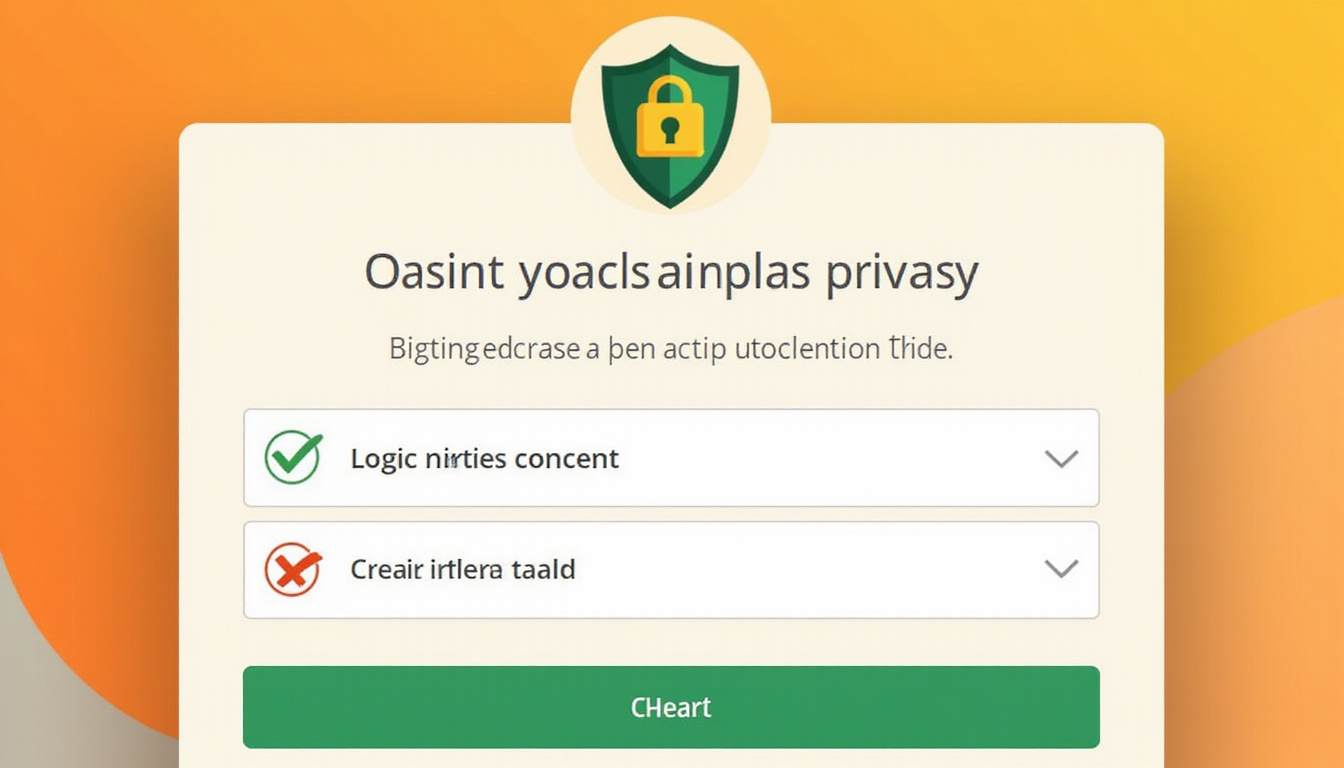
Step 4: Design and Test Consent Interfaces
Create the following elements:
- Cookie or consent banners tailored for each region.
- Inline prompts where data is captured (such as signups, lead forms, checkouts).
- A central privacy or preference center.
Test these elements with real users or stakeholders. Ask:
- Do users understand the choices?
- Are options easy to find and change?
- Does the design avoid dark patterns that could lead to regulatory issues?
Step 5: Integrate and Enforce Consent
Work with engineering and marketing operations to:
- Set up your tag manager so that scripts start only when consent is present.
- Adjust your analytics so that tracking stops when consent is not given.
- Update email and SMS tools to send messages only to those who agree.
- Build APIs or middleware that check consent before processing data further.
This technical enforcement turns a banner into a true consent management system.
Step 6: Log, Monitor, and Optimize
After going live, you must:
- Monitor consent rates (accept, reject, and granular choices).
- Check logs and data flows to find misconfigurations.
- Update privacy notices and consent texts to match legal changes.
- Regularly review data collection practices for minimization.
Use these insights to balance the user experience, consent rates, and compliance needs.
Consent Management Across Channels and Systems
Consent is not a web-only issue. A broad consent management system must cover all touchpoints with users.
Web and Mobile Apps
Include:
- Cookie banners and in‑app prompts for tracking, advertising IDs, and location.
- Settings screens in‑app for analytics, recommendations, and push notifications.
- Synchronization of user choices across devices when users log in.
Email, SMS, and Push Notifications
Include a separate consent for each channel. This might mean:
- Double opt‑in for email subscriptions in some regions.
- Clear unsubscribe links in every communication.
- Linking your communication tools to a centralized consent source.
CRM, CDP, and Marketing Automation
Store consent details at the profile level. This process includes:
- Segmenting campaigns based on consent flags.
- Updating preferences in real time when users change them.
- Enforcing that data sharing with partners respects the consent given.
Third‑Party Partners and Processors
Ensure that:
- Contracts and Data Processing Agreements (DPAs) state consent responsibilities.
- Technical controls block unauthorized use or reuse of data by partners.
- Regular audits verify that partners honor user choices.
Governance and Ownership of Consent Management
Consent management touches many teams. Clear governance is key.
Roles and Responsibilities
A common setup includes:
- The Data Protection Officer (DPO) or Privacy Office. They work on policy, compliance, and oversight.
- Legal and Compliance teams interpret laws and review consent language.
- Product and UX teams design the user interfaces and journeys.
- Engineering and IT teams implement integrations and safeguard technical controls.
- Marketing and Analytics teams use consented data and track its impact.
Decide clearly: Who can change the consent text? Who approves new data uses? How are conflicts resolved?
Policies and Training
Support your strategy with:
- Internal policies that guide data collection, tracking, and marketing practices.
- Regular training so that marketing, product, and engineering teams know the rules and dark pattern risks.
- Plans for handling consent issues, such as a tag error that ignores user choices.
Common Pitfalls in Consent Management (and How to Avoid Them)
Consent management can fail in small ways. Beware of these pitfalls:
1. “Banner Only” Compliance
Sometimes, a banner shows up, but cookies fire before choices are made. Or a refusal is ignored.
Solution: Block scripts and trackers until a user has given consent. Honor any refusal fully.
2. Over‑Reliance on Legitimate Interest
Some processes, such as personalized ads, are wrongly labeled under “legitimate interest” instead of using consent in regions that need an opt‑in.
Solution: Work with legal experts to choose the best legal basis for each purpose, especially for marketing or profiling.
3. Dark Patterns and Manipulative Design
Interfaces may hide rejection options or use misleading language to nudge users.
Solution: Follow privacy-by-design principles. Use clear, honest user experiences. Watch for regulatory updates on design practices.
4. Fragmented Consent Across Systems
Sometimes, a change on the website does not update other channels like email or apps.
Solution: Build a centralized consent repository. Use real‑time or near‑real‑time syncing for all systems.
5. Outdated Policies and Records
Consent records may not match current practices. Notices and purposes become outdated.
Solution: Regularly review and update privacy notices, purpose definitions, legal bases, retention periods, and audit logs. Rebuild consent when practices change.
Measuring the Success of Consent Management
Treat consent management as an ongoing program. Use clear metrics to improve over time.
Performance Indicators
Monitor:
- Consent rates: The percentage of users who accept all, reject all, or choose granular options.
- Channel engagement: Open and click‑through rates among users who have consented.
- Opt‑out and complaint rates: These show if users are confused or uncomfortable.
- Regulatory posture: How prepared you are for audits, and any past enforcement actions.
Interpreting the Numbers
High consent rates are not the only goal. A healthy consent process:
- Meets regulatory expectations.
- Shows clear, transparent choices.
- Supports long‑term trust with customers.
If consent rates are low, ask:
• Is the explanation confusing?
• Are too many data requests made for too little value?
• Is consent asked at the right user moment?
Adjust accordingly without compromising legal or ethical standards.
Future Trends in Consent Management
Consent management will change along with technology, laws, and user behavior.
Browser and Platform Privacy Changes
Browsers remove third‑party cookies. They block many trackers by default. Mobile platforms demand explicit app‑level permissions.
Consent management will shift from cookie-based models to:
- Server‑side tracking
- First‑party data practices
- Contextual advertising and privacy-preserving analytics
Standardized Signals and Frameworks
Signals like Global Privacy Control (GPC) may soon be widely recognized. Industry frameworks (like IAB TCF in the EU) will change. Your CMP must keep up with these standards.
Increasing Regulatory and Public Scrutiny of UX
Regulators and courts now check:
- Dark patterns in consent interfaces
- The gap between formal consent and what users understand
- Power imbalances with major platforms
Forward‑looking organizations will see consent management as respect for user choice, not just a legal checkbox.
FAQ: Common Questions About Consent Management
1. What is a consent management system and why do I need one?
A consent management system is a mix of tools and methods to:
- Request and record a user’s consent for data use.
- Enforce these choices across cookies, tracking, marketing, and sharing.
- Allow users to review or change their decisions.
You need this system to follow privacy laws, avoid fines, and build trust with customers who value transparency.
2. How does a consent management platform work on my website?
A consent management platform (CMP) typically:
- Detects a user’s region and shows the right banner.
- Presents clear options to accept, reject, or customize data use.
- Stores the user's decision along with what was shown.
- Signals to your tag manager which purposes can be used.
- Blocks non‑essential cookies until consent is given.
- Offers a preference center for later changes.
This automation eases the consent process.
3. What’s the difference between cookie consent and broader data consent management?
Cookie consent deals with cookies and tracking on websites. Broader consent management covers:
- Marketing consent via email, SMS, or push notifications.
- Consent for profiling, personalization, and automated decisions.
- Rules for sharing data with third parties or across different business units.
- Special handling for sensitive data and data of minors.
A full consent system governs all these areas consistently.
Take Control of Consent Management to Build Trust and Stay Compliant
Consent management is more than a pop‑up. It forms a pillar of your privacy program and customer relations. When organizations treat consent as an everyday, user‑centric practice they:
- Follow complex, changing rules across regions.
- Lower legal and reputational risks.
- Improve data quality and reliability.
- Strengthen trust in a privacy‑aware market.
If your current approach is just a basic banner or scattered across systems, it is time to act. Map your data uses, clarify your purposes and legal bases, and choose or upgrade a platform that enforces preferences across your tech stack.
Invest in robust, clear consent management. This effort pays off in compliance, customer loyalty, and long‑term digital success. Take the next step today: audit your consent flows, unite your privacy, legal, product, and marketing teams, and design a consent experience that respects every user while powering your business.